
Blog

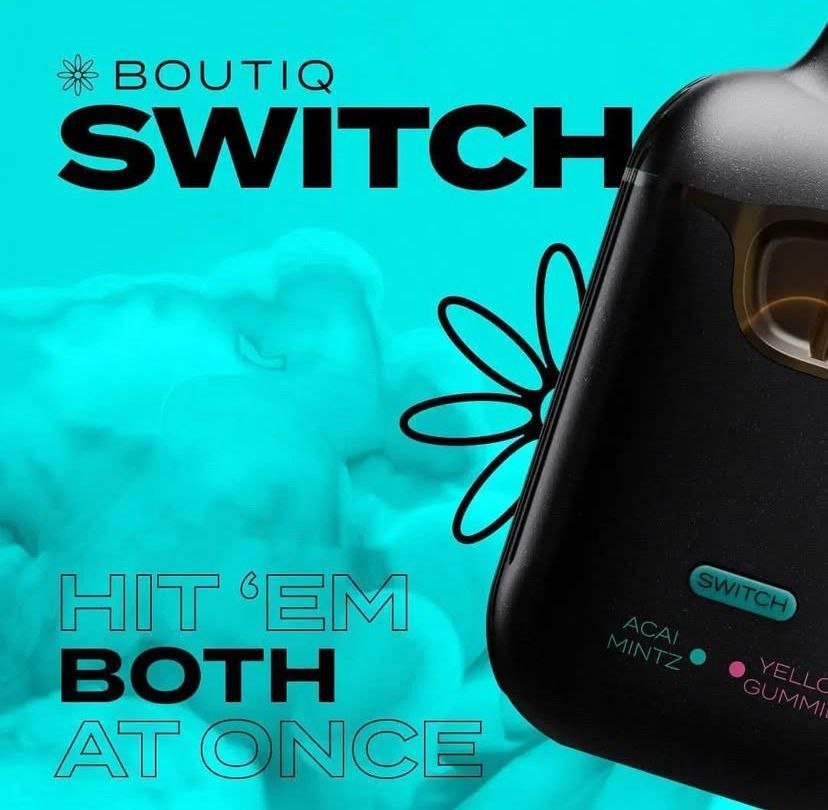
How to Use Boutiq Switch: A Beginner-Friendly Complete Guide
If you recently bought a Boutiq Switch or are thinking about using one, you’re probably asking the same question many beginners ask: how to use Boutiq Switch properly?
The good news is that the Boutiq Switch is designed to be simple, portable, and beginner-friendly. Whether you’re new to vaping or switching from another device, this guide will walk you through everything step by step.
In this complete guide, you’ll learn:
- What a Boutiq Switch is
- How to set it up
- How to use it correctly
- Charging and maintenance tips
- Common problems and fixes
- Safety best practices
Let’s get started.
What Is a Boutiq Switch?
The Boutiq Switch is a compact vaping device designed for convenience and easy use. Most users prefer it because it offers:
- Simple operation
- Portable design
- Smooth vaping experience
- Rechargeable battery
- Easy switching between modes or cartridges (depending on the model)
Its user-friendly setup makes it popular among both beginners and experienced users.
How to Use Boutiq Switch: Step-by-Step Guide
1. Unbox the Device
When you first open your Boutiq Switch package, you’ll usually find:
- The Boutiq Switch device
- Charging cable (if included)
- User instructions
- Cartridge or pod (on some models)
Before using it, inspect the device for any visible damage.
2. Charge the Boutiq Switch
Before the first use, fully charge the device.
How to charge it:
- Connect the charging cable to the device.
- Plug the cable into a USB power source.
- Wait until the indicator light shows a full charge.
Most devices take around 30–90 minutes to fully charge.
Charging Tips
- Avoid overcharging overnight
- Use the recommended charger
- Keep the charging port clean
3. Insert or Attach the Cartridge
Some Boutiq Switch models use removable cartridges or pods.
To attach the cartridge:
- Remove any protective seals.
- Insert the cartridge gently into the device.
- Ensure it clicks or fits securely.
Do not force the cartridge into place.
4. Turn On the Device
Depending on the model, the Boutiq Switch may work in one of two ways:
Draw-Activated
Simply inhale through the mouthpiece to start vaping.
Button-Activated
Press the power button multiple times quickly (usually 5 clicks) to turn it on.
If your model has adjustable settings, use the button to switch modes.
How to Switch Modes on a Boutiq Switch
One reason many people search for “how to use Boutiq Switch” is because they want to understand the switching feature.
Some models allow users to switch between:
- Different voltage settings
- Flavor cartridges
- Heating modes
To switch modes:
- Press the button according to the manual instructions.
- Watch for LED color changes.
- Select your preferred mode.
Typical LED colors may indicate:
- Low power
- Medium power
- High power
Higher settings usually produce:
- Stronger vapor
- More intense flavor
- Faster battery usage
Best Way to Inhale From a Boutiq Switch
For the best experience:
- Take slow, gentle puffs
- Avoid very long inhales
- Wait a few seconds between puffs
Beginners often inhale too hard, which can reduce performance and cause coughing.
How to Know When the Boutiq Switch Needs Charging
Common signs include:
- Blinking LED light
- Weak vapor production
- Device not activating
- Reduced flavor quality
Once you notice these signs, recharge the device.
How to Clean a Boutiq Switch
Regular cleaning improves performance and flavor.
Cleaning Steps
- Turn off the device.
- Remove the cartridge if possible.
- Use a dry cotton swab to clean connection points.
- Wipe the mouthpiece gently.
Avoid using excessive water or liquid cleaners.
Common Boutiq Switch Problems and Solutions
Device Not Hitting
Possible causes:
- Dead battery
- Loose cartridge
- Blocked airflow
Fix:
- Recharge the device
- Reinsert the cartridge
- Clean the airflow holes
Blinking Light
A blinking light often means:
- Low battery
- Cartridge issue
- Device protection mode activated
Fix:
- Charge the battery
- Remove and reconnect the cartridge
Burnt Taste
This usually happens when:
- The cartridge is empty
- You vape too frequently
- The power setting is too high
Fix:
- Lower the voltage
- Replace the cartridge
- Take slower puffs
Boutiq Switch Safety Tips
To use your device safely:
- Keep away from water
- Store at room temperature
- Use only compatible cartridges
- Avoid exposing it to extreme heat
- Keep out of reach of children and pets
Tips for Better Performance
If you want the best experience with your Boutiq Switch:
Do:
✔ Charge before fully draining the battery
✔ Store upright when possible
✔ Clean it regularly
✔ Use moderate power settings
Don’t:
✘ Chain vape continuously
✘ Drop the device
✘ Use damaged cartridges
✘ Overcharge the battery
Frequently Asked Questions
Is Boutiq Switch Beginner-Friendly?
Yes. The Boutiq Switch is designed for easy use, making it ideal for beginners.
How Long Does the Battery Last?
Battery life depends on:
- Usage frequency
- Power setting
- Device model
Most users get several hours to a full day from a full charge.
Why Is My Boutiq Switch Flashing?
Flashing lights usually indicate:
- Low battery
- Cartridge connection problem
- Short-circuit protection
Charging or reconnecting the cartridge often solves the issue.
Can You Recharge a Boutiq Switch?
Many models are rechargeable using a USB charging cable.
Final Thoughts on How to Use Boutiq Switch
Learning how to use Boutiq Switch is actually very simple once you understand the basics. Charge the device, attach the cartridge correctly, inhale gently, and maintain it regularly for the best performance.
Whether you’re a beginner or experienced user, proper usage helps improve:
- Flavor quality
- Battery life
- Overall vaping experience
By following the tips in this guide, you’ll be able to use your Boutiq Switch safely and efficiently.
